For brands and agencies
Media kits you can verify. Live.
A GrowthCtrl kit pulls from the creator's tracked account data. You see their current numbers, their latest posts and replies, and how they've grown, each with the time it was last updated.
Why it's harder to fake
A PDF is a picture. A live kit is a window.
| Aspect | Static screenshot or PDF | GrowthCtrl live kit |
|---|---|---|
| Where the numbers come from | Typed in or screenshotted by hand | Tracked account data, with a source on every number |
| How current | Whenever it was last exported | Updates as new data arrives, with an Updated timestamp |
| Recent posts and replies | A few hand-picked examples | The latest posts and replies, linked to the originals |
| Growth over time | One follower count | Follower readings over 7, 30 and 90 days |
| Engagement | A single rate, method unknown | (likes + replies) ÷ impressions, with the counts behind it |
| Editing after the fact | Easy | Numbers can't be typed in; past brand results are labeled as creator reported |
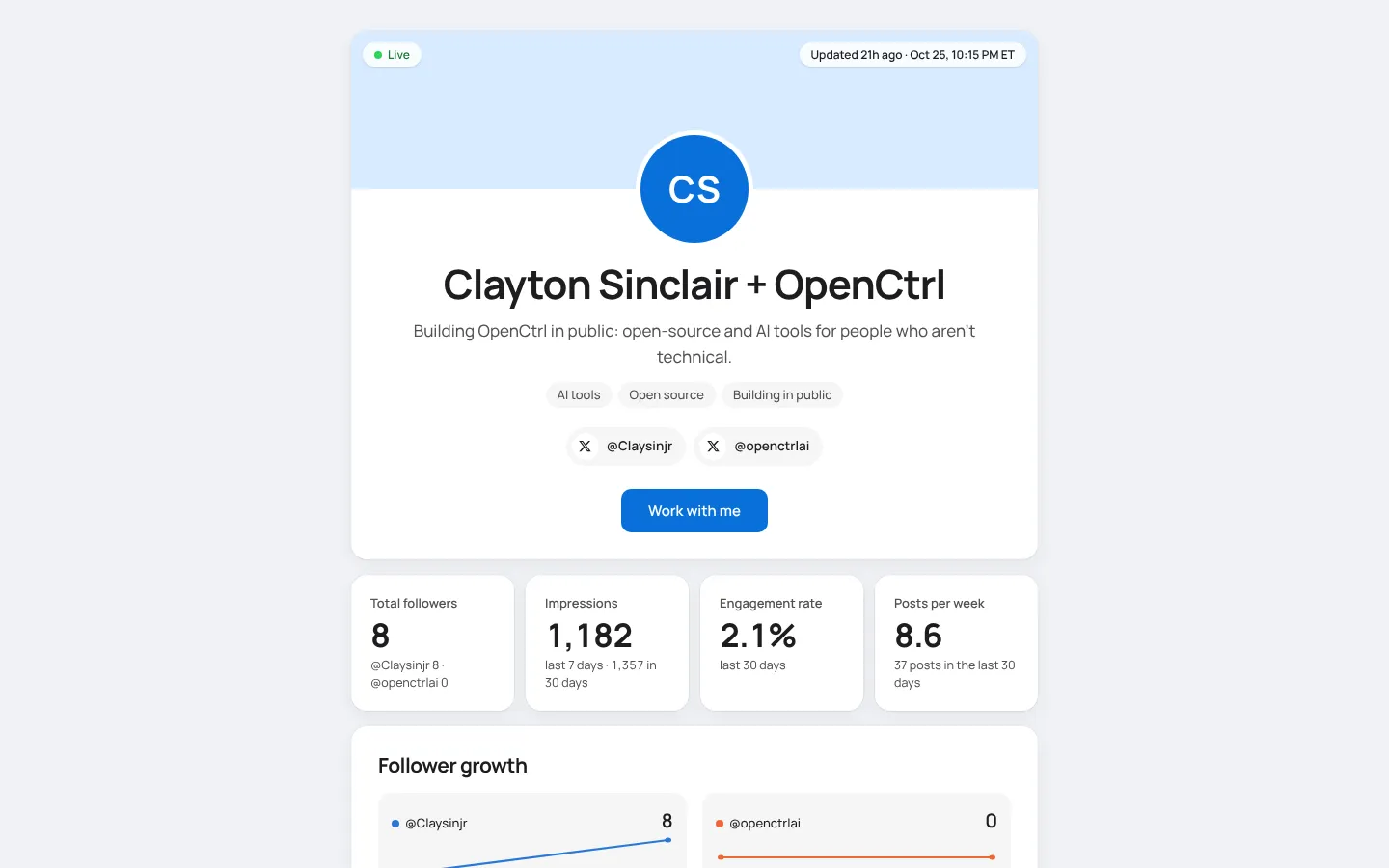
The demo kit, built from one creator's real tracking data.
On every kit
What you'll see
Live, with a timestamp
A Live indicator and the exact time the newest data point arrived.
Every account, combined
One kit can cover several accounts, with totals and a breakdown for each.
Snapshots for your records
Ask for a dated snapshot or PDF to file with a contract. The live link stays current.
Gated when it needs to be
Kits can be public, link-only, password protected, or open to work emails from your company.
Inquiries go straight in
The Work with us form lands in the creator's inbox with your name, company and budget.
Rates and past work
Packages with prices or 'Contact for pricing', and past collabs labeled by where the results came from.
Creators use GrowthCtrl to run and track their growth. Each kit shows outcomes from tracked data, and any disclosure the creator adds appears on the kit exactly as they wrote it.